Until I took an experimental web design class at MIT in early 2022, I — as it turns out — knew nothing about web design. Being able to code frontend isn’t everything; I was taught about web standards, design principles, color theory, typography, properly using modern CSS and JavaScript, accessibility, and so on. It ended up being one of the most eye-opening classes I took at MIT, largely because one of the instructors was Lea Verou, a pioneer in the world of web standards. I liked the class a lot so I decided to help teach the next iteration.
One of the cool things I learned was about styling the printable version of a
web page. Apparently, CSS
media queries have a print type
that are designed specifically for this. It supports any CSS, including the new
and shiny
@page at-rule,
which lets you control page margins, numbering, and size; just like a complex
text processor like LaTeX or Typst. Best of all, it requires surprisingly little
code to make something ready to print. Here is an example that’ll instantly make
a lot of websites printer-friendly:
@media print {
  html {
    /* using !important in print mode is acceptable */
    background: white !important;
  }

  body {
    color: black !important;
  }

  body > header,
  nav,
  footer {
    display: none !important;
  }

  img,
  p:has(img) {
    break-inside: avoid; /* images won't break through pages */
  }
}
You can find the specific styles I use in my website CSS file.
There is also a really cool trick to expand links for a paper printout version:
/* Only expand links that start with http (external) */
a[href^="http"]::after {
  content: " (" attr(href) ")";
  /* ... maybe make small, or handle overflow, etc ... */
}

/* Exclude your own domain so we don't have relative links */
a[href^="https://barish.me"]::after {
  content: none;
}
Why is this exciting, you might ask?
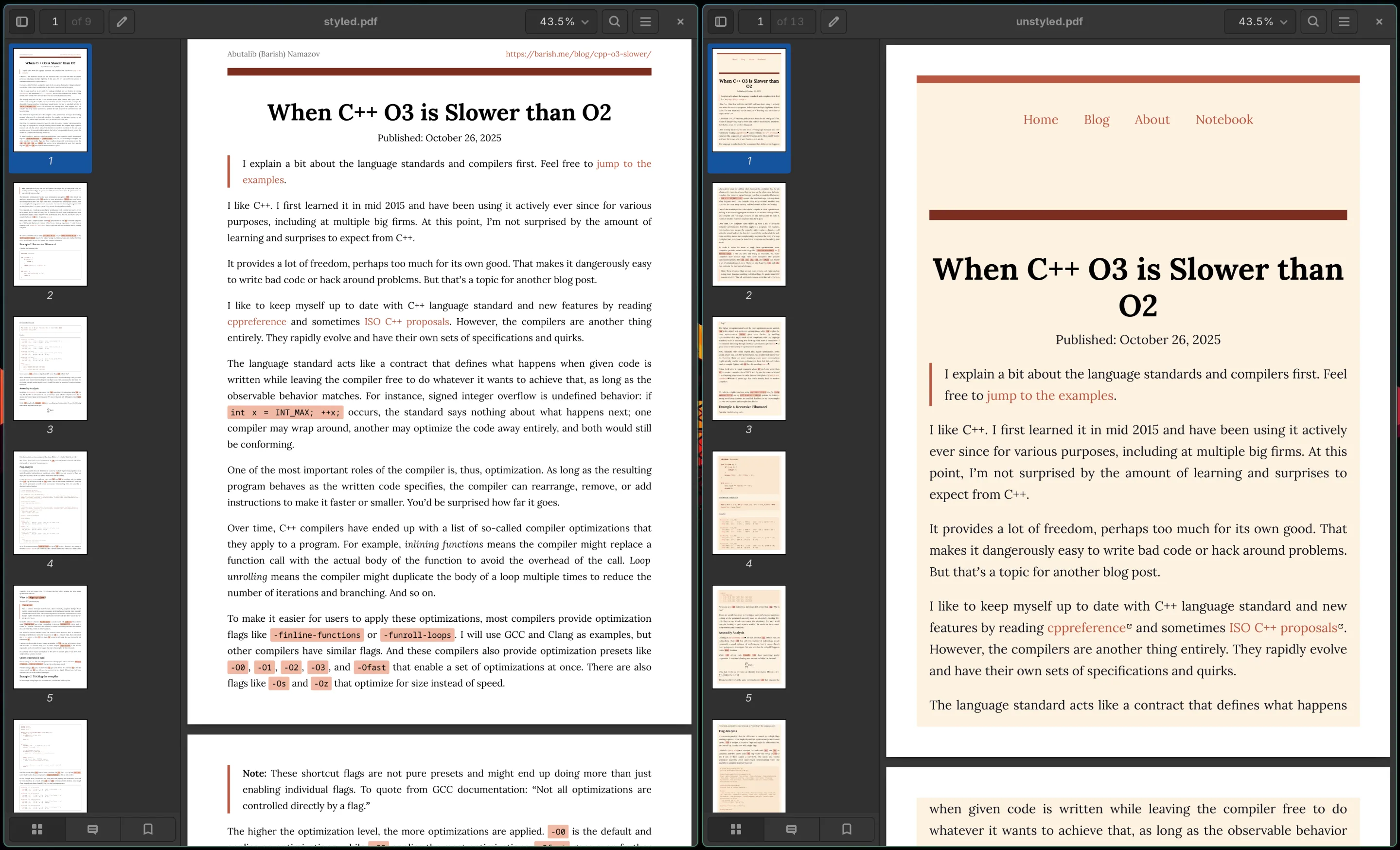
First, I prefer writing in Markdown over a heavy text processor. Printing this way allows me to instantly convert my writings into a polished looking document with my personalized styles. The alternatives — e.g., generating an unstyled PDF using Obsidian — feel a bit lacking.
Try printing this page right now (Ctrl+P). You’ll notice that unnecessary content (like the nav bar) is gone, while my name and the link to this post have been added to the header. I also removed the background color so we save ink on actual printing. The difference is clear when you compare it with the unstyled version:
Second, doing layouts with LaTeX or Typst is tricky. I still don’t know how to properly move an image around with LaTeX. But with modern CSS, it’s much simpler; I throw everything into a grid or a flexbox.
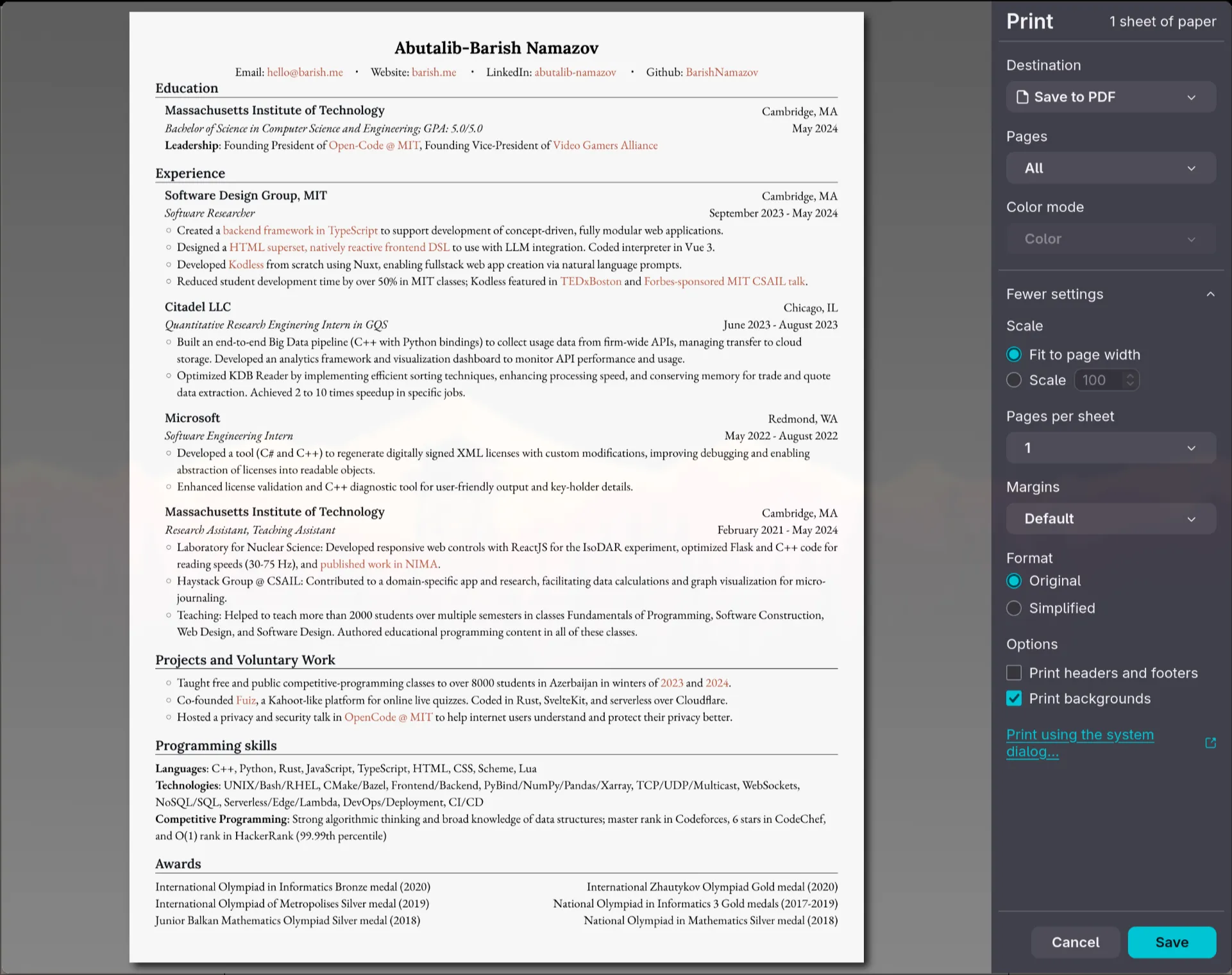
Take a look into my outdated resume page. It’s implemented in
HTML and CSS. Thanks to some minimal media print queries and @page styling, it
prints perfectly onto a single page.
@page {
  size: letter;
  margin: 0mm; /* remove default browser-added margins */
}
Modern web standards and browsers are powerful tools. By treating print as a first-class citizen in your CSS, you gain the power of a typesetting engine without ever leaving your text editor.
The best example of this is actually comes from the person who taught it to me: Lea wrote her PhD thesis with web technologies and made it printable, and it indeed does look very pretty.